MCP 服务器
构建 MCP 服务器
开始构建您自己的服务器,以便在 Claude Code、Kilo Code、VS Code、Cursor 等其他客户端中使用。
在本教程中,我们将构建一个简单的 MCP 天气服务器,并将其连接到主机 Claude Code、Kilo Code。
以下示例采用 Python 进行开发,其他语言亦可适用。
系统要求
- 已安装 Python 3.10 或更高版本。
- 您必须使用 Python MCP SDK 1.2.0 或更高版本。
环境配置
安装 uv 并设置我们的 Python 项目和环境
Windows
powershell -ExecutionPolicy ByPass -c "irm https://astral.sh/uv/install.ps1 | iex"Linux
curl -LsSf https://astral.sh/uv/install.sh | shmacOS
curl -LsSf https://astral.sh/uv/install.sh | sh如果已经安装了 pip 或 pip3 也可以使用以下命令创建项目
Bash
pip install uv

或者

pip3 install uv初始化项目
Bash
# 创建一个新目录
uv init weather
cd weather

# 创建虚拟环境并激活它
uv venv
source .venv/bin/activate

# 安装依赖项
uv add "mcp[cli]" httpx

# 创建我们的服务器文件
Linux/macOS: touch weather.py
Windows: 直接在文件夹下创建 weather.py 文件吧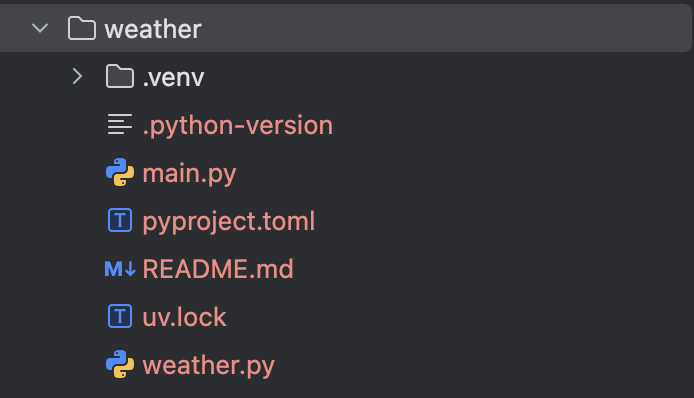
创建服务器-导入软件包并设置实例
编辑 weather.py 文件并添加以下内容:
Python
from typing import Any

import httpx
from mcp.server.fastmcp import FastMCP

# Initialize FastMCP server
mcp = FastMCP("weather")

# Constants
NWS_API_BASE = "https://api.weather.gov"
USER_AGENT = "weather-app/1.0"创建函数-用于查询和格式化来自气象局 API 的数据
Python
async def make_nws_request(url: str) -> dict[str, Any] | None:
    """Make a request to the NWS API with proper error handling."""
    headers = {"User-Agent": USER_AGENT, "Accept": "application/geo+json"}
    async with httpx.AsyncClient() as client:
        try:
            response = await client.get(url, headers=headers, timeout=30.0)
            response.raise_for_status()
            return response.json()
        except Exception:
            return None


def format_alert(feature: dict) -> str:
    """Format an alert feature into a readable string."""
    props = feature["properties"]
    return f"""
Event: {props.get("event", "Unknown")}
Area: {props.get("areaDesc", "Unknown")}
Severity: {props.get("severity", "Unknown")}
Description: {props.get("description", "No description available")}
Instructions: {props.get("instruction", "No specific instructions provided")}
"""创建MCP执行工具
Python
@mcp.tool()
async def get_alerts(state: str) -> str:
    """Get weather alerts for a US state.

    Args:
        state: Two-letter US state code (e.g. CA, NY)
    """
    url = f"{NWS_API_BASE}/alerts/active/area/{state}"
    data = await make_nws_request(url)

    if not data or "features" not in data:
        return "Unable to fetch alerts or no alerts found."

    if not data["features"]:
        return "No active alerts for this state."

    alerts = [format_alert(feature) for feature in data["features"]]
    return "\n---\n".join(alerts)


@mcp.tool()
async def get_forecast(latitude: float, longitude: float) -> str:
    """Get weather forecast for a location.

    Args:
        latitude: Latitude of the location
        longitude: Longitude of the location
    """
    # First get the forecast grid endpoint
    points_url = f"{NWS_API_BASE}/points/{latitude},{longitude}"
    points_data = await make_nws_request(points_url)

    if not points_data:
        return "Unable to fetch forecast data for this location."

    # Get the forecast URL from the points response
    forecast_url = points_data["properties"]["forecast"]
    forecast_data = await make_nws_request(forecast_url)

    if not forecast_data:
        return "Unable to fetch detailed forecast."

    # Format the periods into a readable forecast
    periods = forecast_data["properties"]["periods"]
    forecasts = []
    for period in periods[:5]:  # Only show next 5 periods
        forecast = f"""
{period["name"]}:
Temperature: {period["temperature"]}°{period["temperatureUnit"]}
Wind: {period["windSpeed"]} {period["windDirection"]}
Forecast: {period["detailedForecast"]}
"""
        forecasts.append(forecast)

return "\n---\n".join(forecasts)创建主函数
Python
def main():
    # Initialize and run the server
    mcp.run(transport="stdio")


if __name__ == "__main__":
main()启动MCP服务器
在控制台中输入以下命令启动 MCP 服务器,该服务器将监听来自 MCP 主机的消息。
Bash
uv run weather.py完整示例
Python
from typing import Any

import httpx
from mcp.server.fastmcp import FastMCP

# Initialize FastMCP server
mcp = FastMCP("weather")

# Constants
NWS_API_BASE = "https://api.weather.gov"
USER_AGENT = "weather-app/1.0"

async def make_nws_request(url: str) -> dict[str, Any] | None:
    """Make a request to the NWS API with proper error handling."""
    headers = {"User-Agent": USER_AGENT, "Accept": "application/geo+json"}
    async with httpx.AsyncClient() as client:
        try:
            response = await client.get(url, headers=headers, timeout=30.0)
            response.raise_for_status()
            return response.json()
        except Exception:
            return None


def format_alert(feature: dict) -> str:
    """Format an alert feature into a readable string."""
    props = feature["properties"]
    return f"""
Event: {props.get("event", "Unknown")}
Area: {props.get("areaDesc", "Unknown")}
Severity: {props.get("severity", "Unknown")}
Description: {props.get("description", "No description available")}
Instructions: {props.get("instruction", "No specific instructions provided")}
"""

@mcp.tool()
async def get_alerts(state: str) -> str:
    """Get weather alerts for a US state.

    Args:
        state: Two-letter US state code (e.g. CA, NY)
    """
    url = f"{NWS_API_BASE}/alerts/active/area/{state}"
    data = await make_nws_request(url)

    if not data or "features" not in data:
        return "Unable to fetch alerts or no alerts found."

    if not data["features"]:
        return "No active alerts for this state."

    alerts = [format_alert(feature) for feature in data["features"]]
    return "\n---\n".join(alerts)


@mcp.tool()
async def get_forecast(latitude: float, longitude: float) -> str:
    """Get weather forecast for a location.

    Args:
        latitude: Latitude of the location
        longitude: Longitude of the location
    """
    # First get the forecast grid endpoint
    points_url = f"{NWS_API_BASE}/points/{latitude},{longitude}"
    points_data = await make_nws_request(points_url)

    if not points_data:
        return "Unable to fetch forecast data for this location."

    # Get the forecast URL from the points response
    forecast_url = points_data["properties"]["forecast"]
    forecast_data = await make_nws_request(forecast_url)

    if not forecast_data:
        return "Unable to fetch detailed forecast."

    # Format the periods into a readable forecast
    periods = forecast_data["properties"]["periods"]
    forecasts = []
    for period in periods[:5]:  # Only show next 5 periods
        forecast = f"""
{period["name"]}:
Temperature: {period["temperature"]}°{period["temperatureUnit"]}
Wind: {period["windSpeed"]} {period["windDirection"]}
Forecast: {period["detailedForecast"]}
"""
        forecasts.append(forecast)

    return "\n---\n".join(forecasts)


def main():
    # Initialize and run the server
    mcp.run(transport="stdio")


if __name__ == "__main__":
main()使用 Claude Code 测试 MCP 服务器
配置 MCP 服务器
使用 claude 命令快捷添加 MCP 服务器
Bash
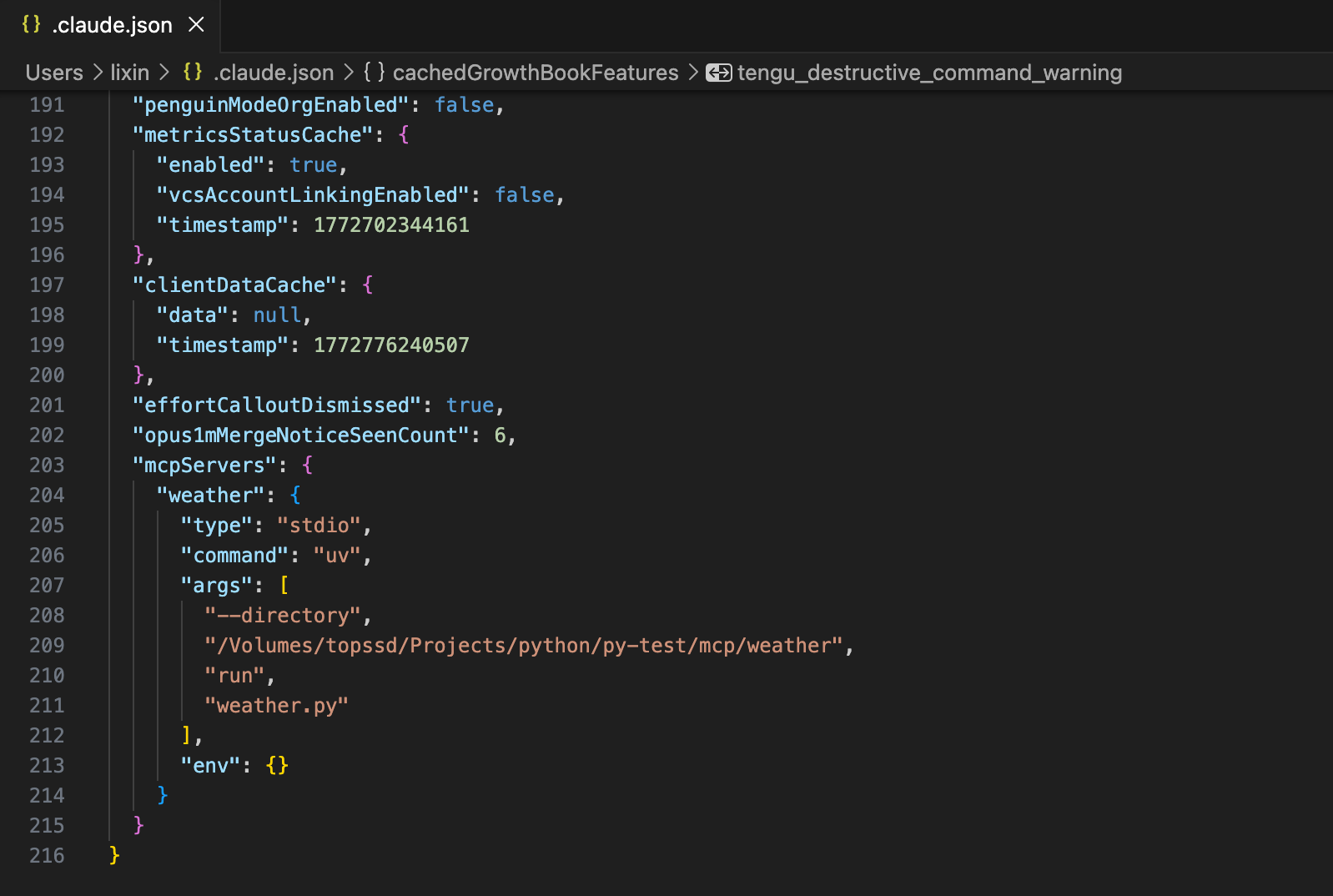
claude mcp add --scope user --transport stdio weather -- uv --directory /Volumes/topssd/Projects/python/py-test/mcp/weather run weather.py
使用命令查看 MCP 服务器是否添加成功
Bash
claude mcp list
添加成功后,在 .claude.json 中就会出现这个配置,实际直接在这个文件中修改也是一样的。
- Windows:
C:\Users\<你的用户名>\.claude.json - Linux:
~/.claude.json - macOS:
~/.claude.json
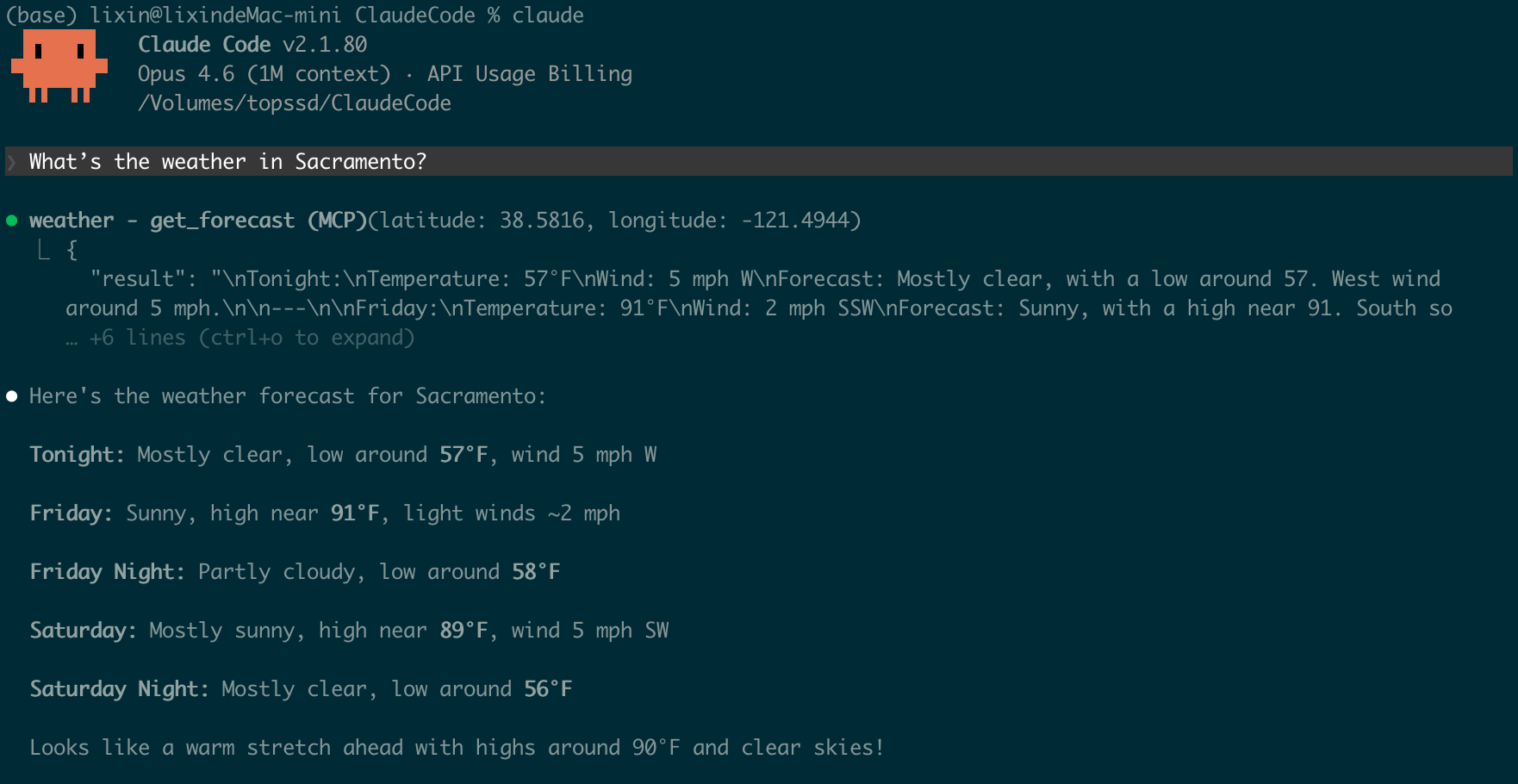
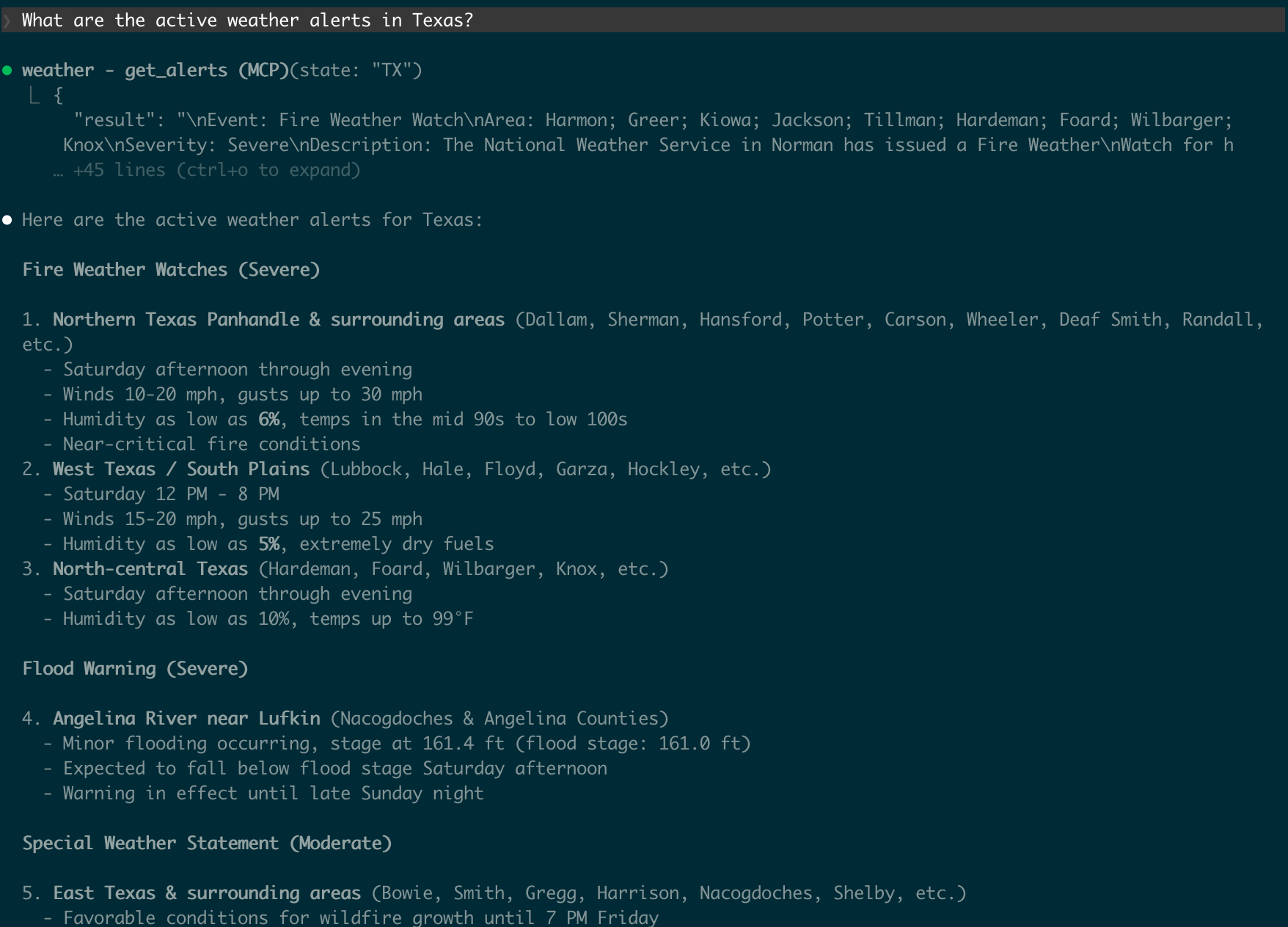
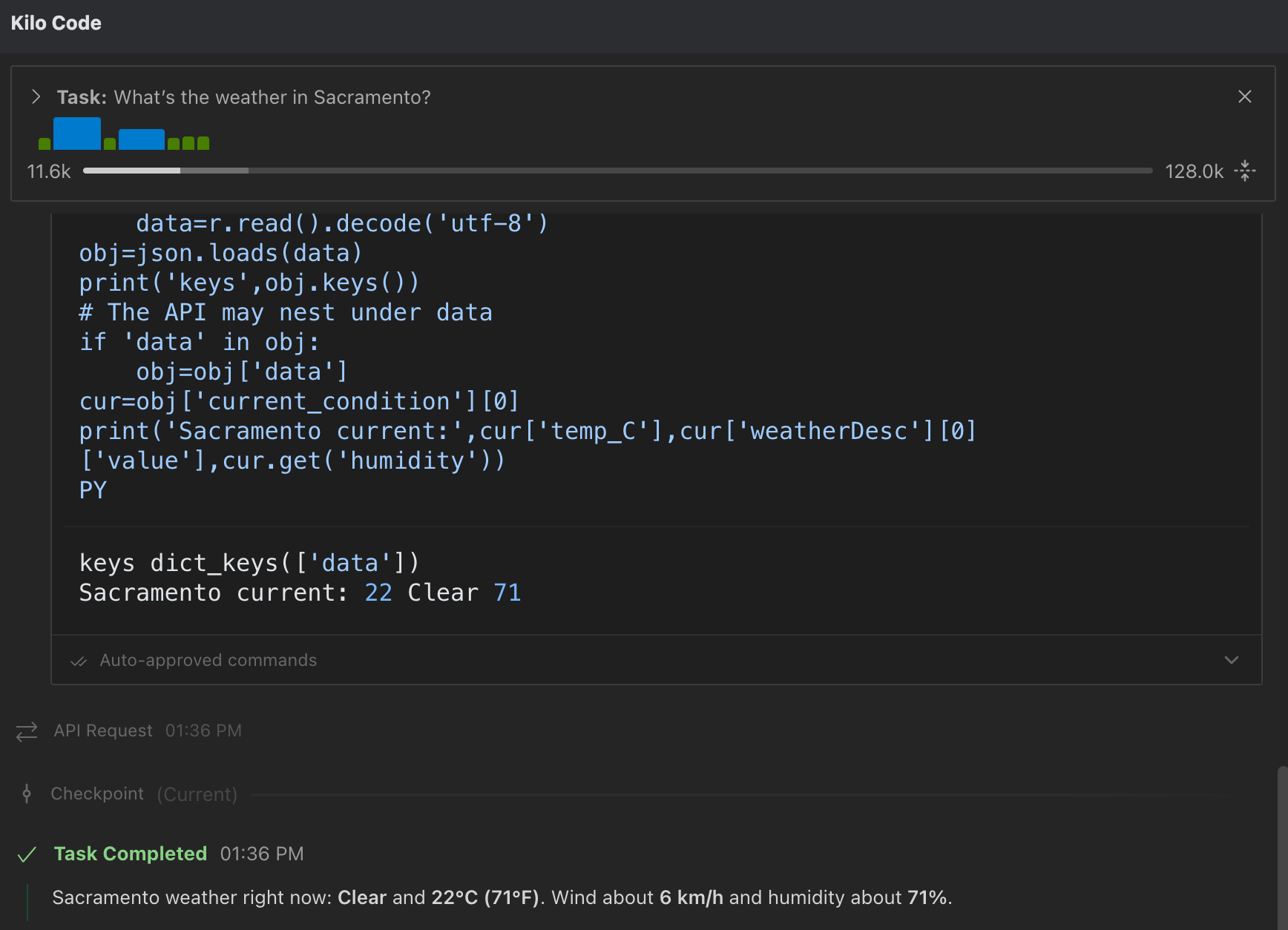
使用命令进行测试
- What’s the weather in Sacramento?
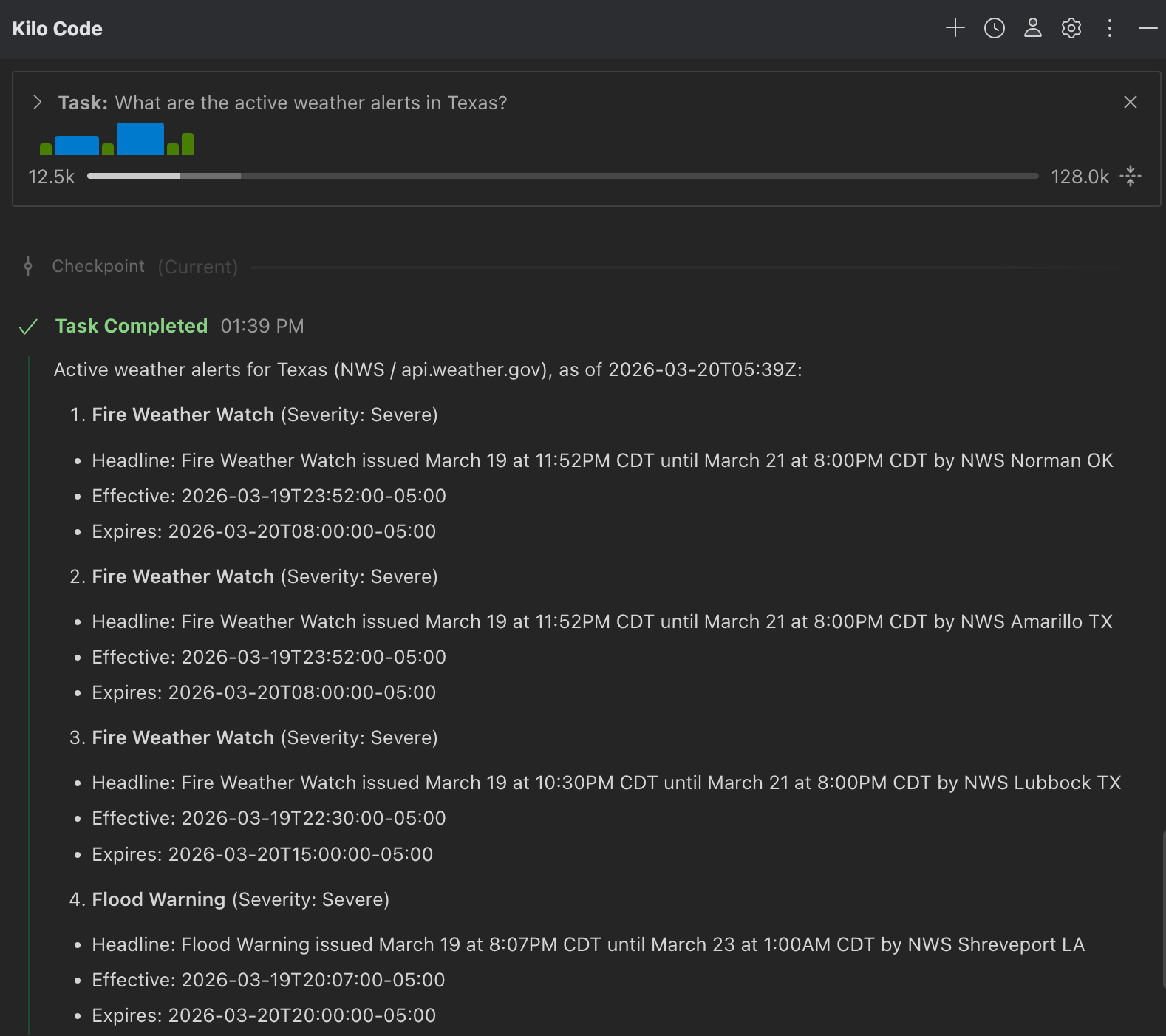
- What are the active weather alerts in Texas?
使用 Kilo Code 测试 MCP 服务器
配置 MCP 服务器
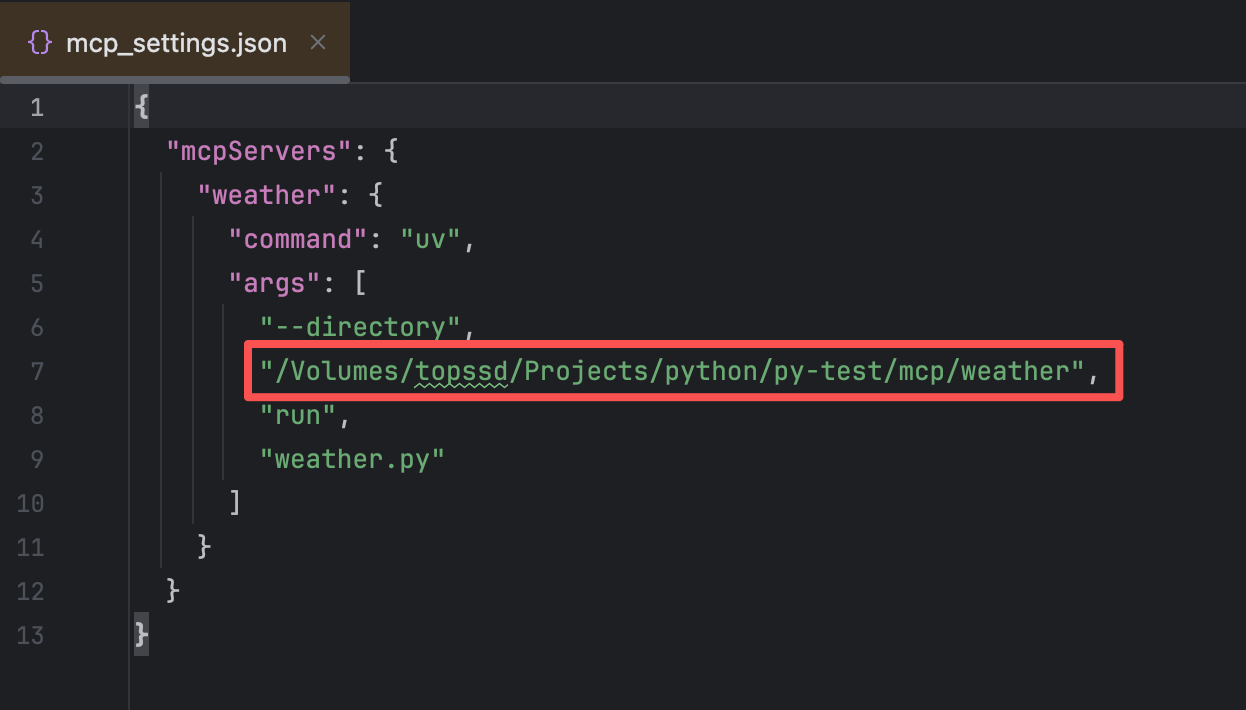
每款工具的配置文件是不同的,请结合实际使用情况进行修改。以下是
Kilo Code的配置文件mcp_settings.json。
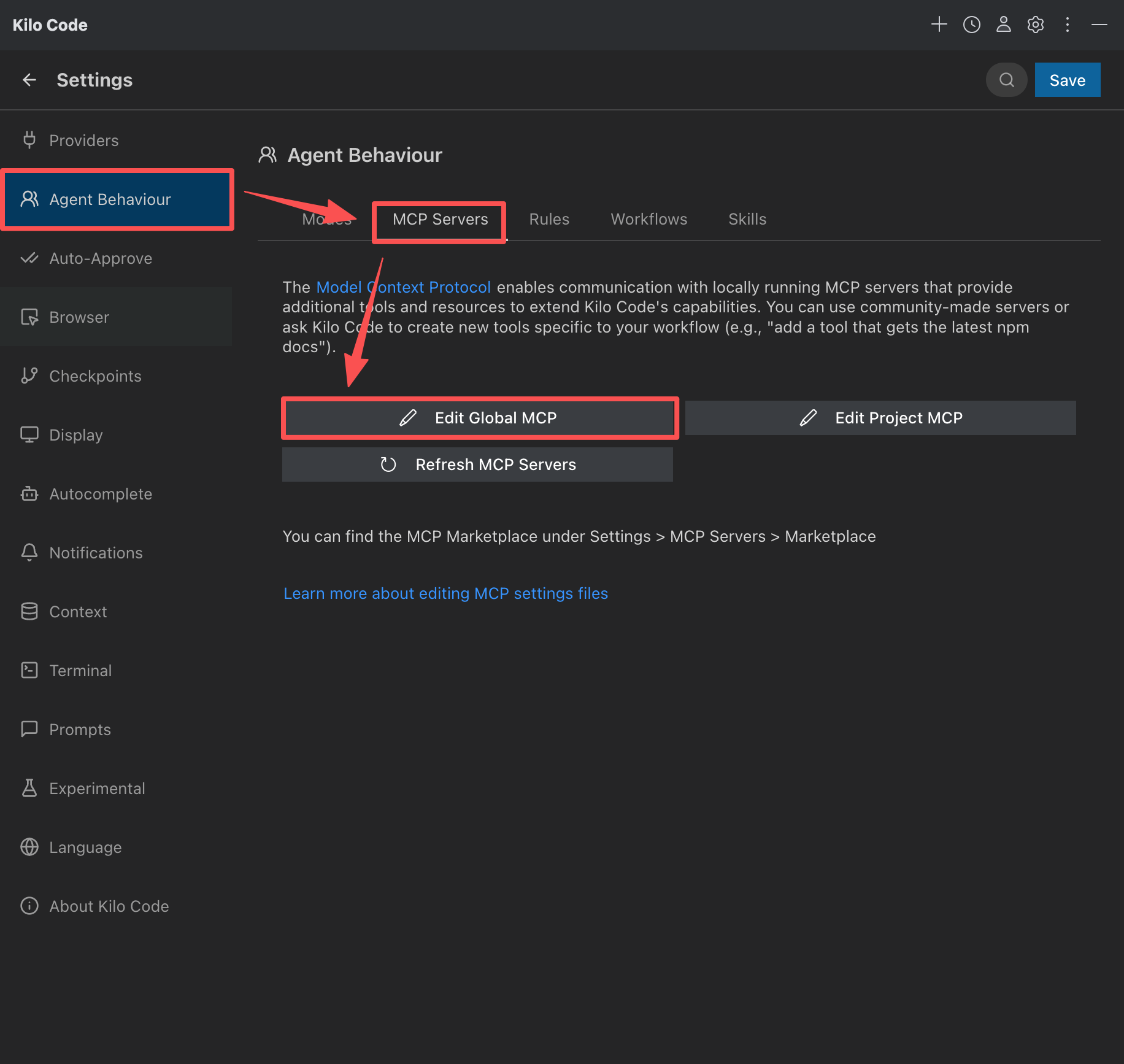
提示
红框中的 /Volumes/topssd/Projects/python/py-test/mcp/weather 路径需要修改为你的项目路径。
刷新 MCP Servers 并保存
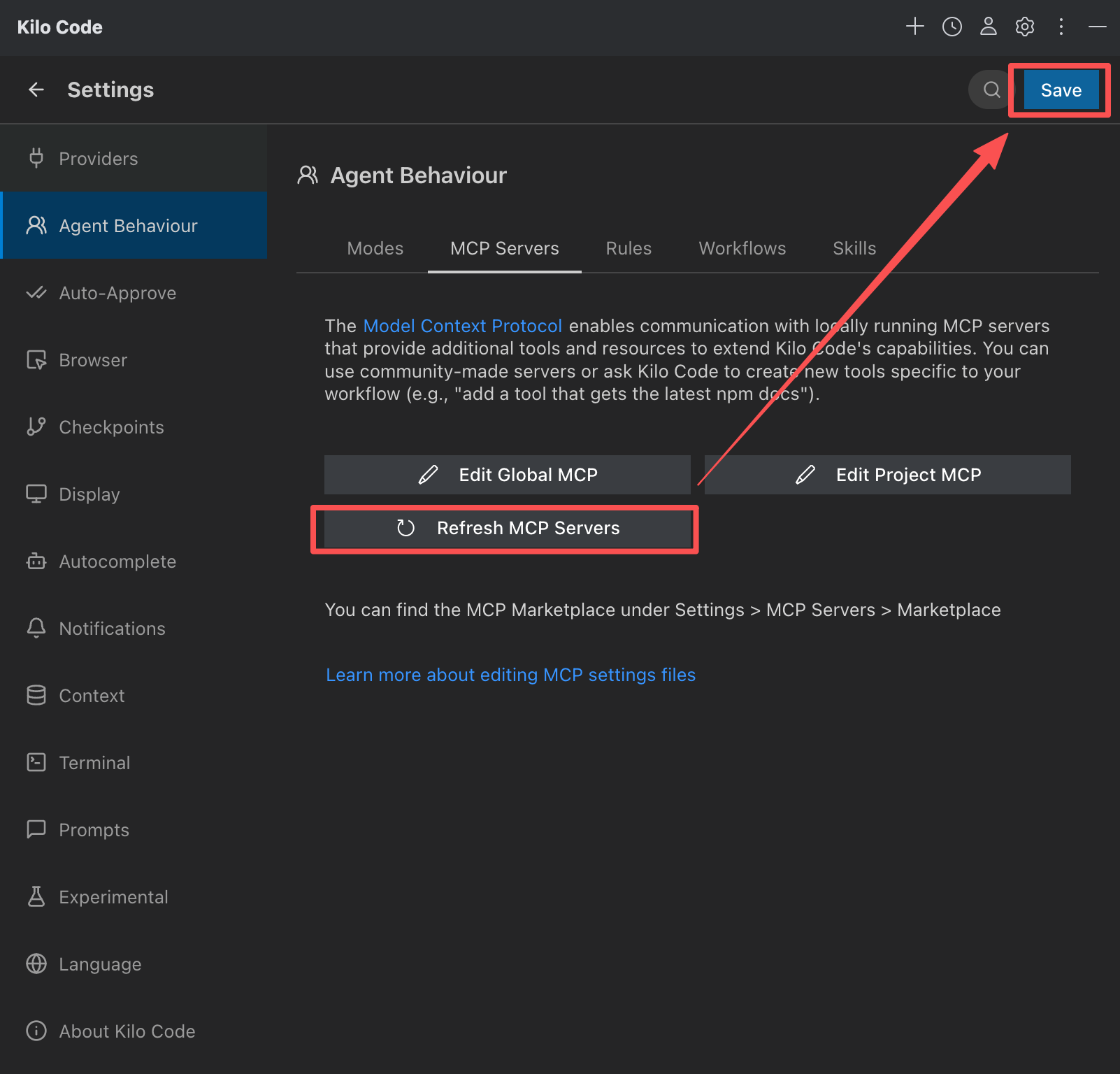
这里是为告诉工具 :
- 有一个名为
weather的MCP服务器 - 要运行它来启动它
uv --directory /Volumes/topssd/Projects/python/py-test/mcp/weather run weather.py
使用命令进行测试
- What’s the weather in Sacramento?
- What are the active weather alerts in Texas?