MCP Server
Building an MCP Server
Start building your own server to use in other clients like Claude Code, Kilo Code, VS Code, Cursor, etc.
In this tutorial, we will build a simple MCP weather server and connect it to the host Claude Code and Kilo Code.
The following example uses Python for development, but other languages can also be used.
System Requirements
- Python 3.10 or higher installed.
- You must use Python MCP SDK 1.2.0 or higher.
Environment Setup
Install uv and set up our Python project and environment
powershell -ExecutionPolicy ByPass -c "irm https://astral.sh/uv/install.ps1 | iex"curl -LsSf https://astral.sh/uv/install.sh | shcurl -LsSf https://astral.sh/uv/install.sh | shIf pip or pip3 is already installed, you can also use the following command to create the project:
pip install uv

# Or

pip3 install uvInitialize the Project
# Create a new directory
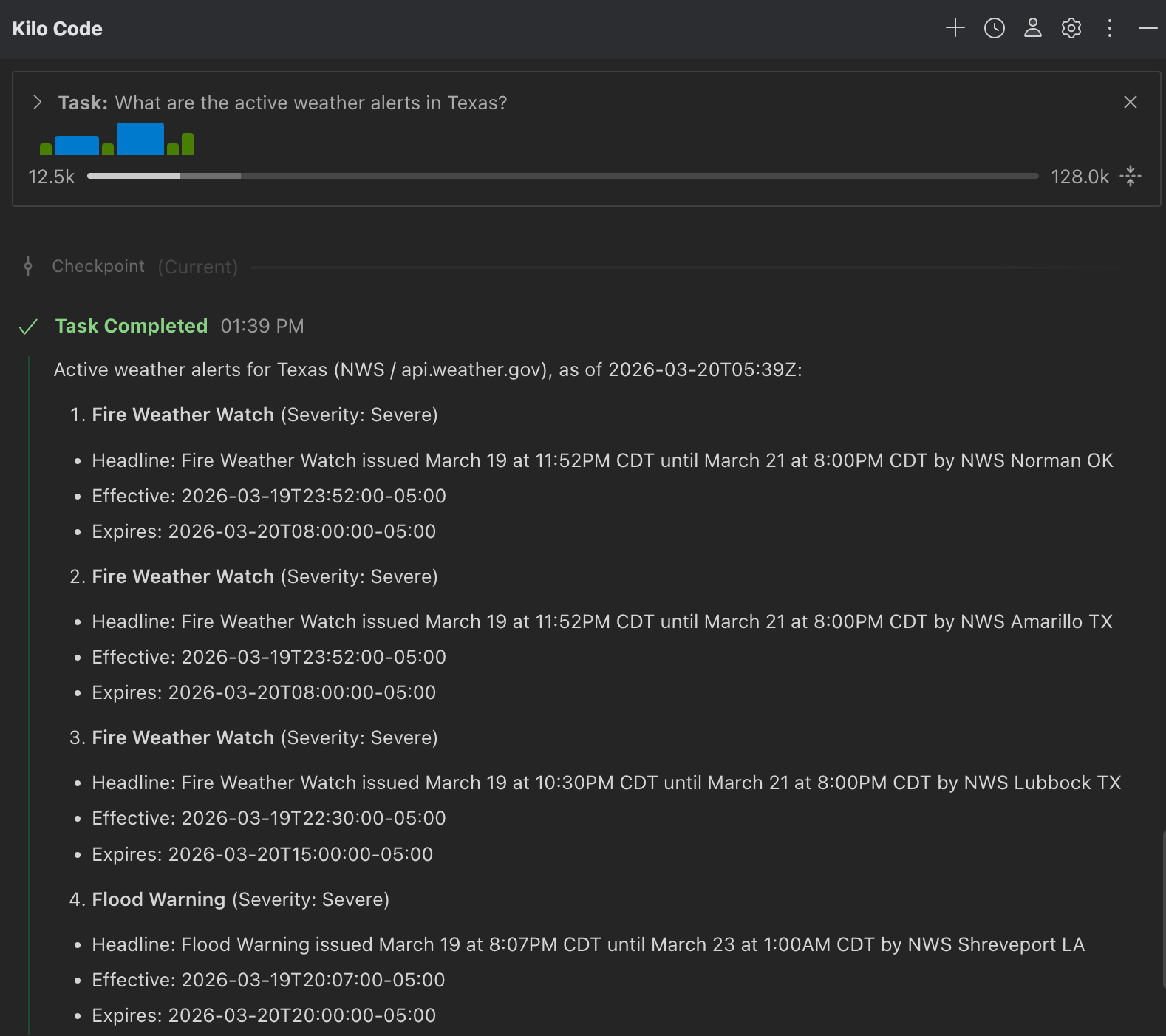
uv init weather
cd weather

# Create a virtual environment and activate it
uv venv
source .venv/bin/activate

# Install dependencies
uv add "mcp[cli]" httpx

# Create our server file
# Linux/macOS:
touch weather.py
# Windows: Just create a weather.py file directly in the folder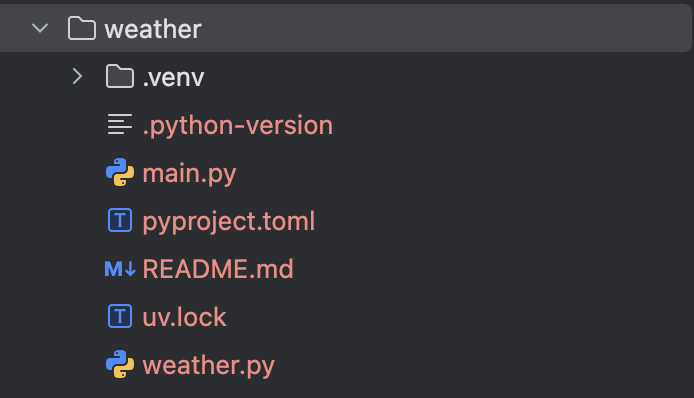
Create the Server - Import packages and set up the instance
Edit the weather.py file and add the following content:
from typing import Any

import httpx
from mcp.server.fastmcp import FastMCP

# Initialize FastMCP server
mcp = FastMCP("weather")

# Constants
NWS_API_BASE = "https://api.weather.gov"
USER_AGENT = "weather-app/1.0"Create Functions - Used to query and format data from the National Weather Service API
async def make_nws_request(url: str) -> dict[str, Any] | None:
    """Make a request to the NWS API with proper error handling."""
    headers = {"User-Agent": USER_AGENT, "Accept": "application/geo+json"}
    async with httpx.AsyncClient() as client:
        try:
            response = await client.get(url, headers=headers, timeout=30.0)
            response.raise_for_status()
            return response.json()
        except Exception:
            return None


def format_alert(feature: dict) -> str:
    """Format an alert feature into a readable string."""
    props = feature["properties"]
    return f"""
Event: {props.get("event", "Unknown")}
Area: {props.get("areaDesc", "Unknown")}
Severity: {props.get("severity", "Unknown")}
Description: {props.get("description", "No description available")}
Instructions: {props.get("instruction", "No specific instructions provided")}
"""Create the MCP Tool
@mcp.tool()
async def get_alerts(state: str) -> str:
    """Get weather alerts for a US state.

    Args:
        state: Two-letter US state code (e.g. CA, NY)
    """
    url = f"{NWS_API_BASE}/alerts/active/area/{state}"
    data = await make_nws_request(url)

    if not data or "features" not in data:
        return "Unable to fetch alerts or no alerts found."

    if not data["features"]:
        return "No active alerts for this state."

    alerts = [format_alert(feature) for feature in data["features"]]
    return "\n---\n".join(alerts)


@mcp.tool()
async def get_forecast(latitude: float, longitude: float) -> str:
    """Get weather forecast for a location.

    Args:
        latitude: Latitude of the location
        longitude: Longitude of the location
    """
    # First get the forecast grid endpoint
    points_url = f"{NWS_API_BASE}/points/{latitude},{longitude}"
    points_data = await make_nws_request(points_url)

    if not points_data:
        return "Unable to fetch forecast data for this location."

    # Get the forecast URL from the points response
    forecast_url = points_data["properties"]["forecast"]
    forecast_data = await make_nws_request(forecast_url)

    if not forecast_data:
        return "Unable to fetch detailed forecast."

    # Format the periods into a readable forecast
    periods = forecast_data["properties"]["periods"]
    forecasts = []
    for period in periods[:5]:  # Only show next 5 periods
        forecast = f"""
{period["name"]}:
Temperature: {period["temperature"]}°{period["temperatureUnit"]}
Wind: {period["windSpeed"]} {period["windDirection"]}
Forecast: {period["detailedForecast"]}
"""
        forecasts.append(forecast)

return "\n---\n".join(forecasts)Create the Main Function
def main():
    # Initialize and run the server
    mcp.run(transport="stdio")


if __name__ == "__main__":
main()Start the MCP Server
Enter the following command in the console to start the MCP server, which will listen for messages from the MCP host.
uv run weather.pyFull Example
from typing import Any

import httpx
from mcp.server.fastmcp import FastMCP

# Initialize FastMCP server
mcp = FastMCP("weather")

# Constants
NWS_API_BASE = "https://api.weather.gov"
USER_AGENT = "weather-app/1.0"

async def make_nws_request(url: str) -> dict[str, Any] | None:
    """Make a request to the NWS API with proper error handling."""
    headers = {"User-Agent": USER_AGENT, "Accept": "application/geo+json"}
    async with httpx.AsyncClient() as client:
        try:
            response = await client.get(url, headers=headers, timeout=30.0)
            response.raise_for_status()
            return response.json()
        except Exception:
            return None


def format_alert(feature: dict) -> str:
    """Format an alert feature into a readable string."""
    props = feature["properties"]
    return f"""
Event: {props.get("event", "Unknown")}
Area: {props.get("areaDesc", "Unknown")}
Severity: {props.get("severity", "Unknown")}
Description: {props.get("description", "No description available")}
Instructions: {props.get("instruction", "No specific instructions provided")}
"""

@mcp.tool()
async def get_alerts(state: str) -> str:
    """Get weather alerts for a US state.

    Args:
        state: Two-letter US state code (e.g. CA, NY)
    """
    url = f"{NWS_API_BASE}/alerts/active/area/{state}"
    data = await make_nws_request(url)

    if not data or "features" not in data:
        return "Unable to fetch alerts or no alerts found."

    if not data["features"]:
        return "No active alerts for this state."

    alerts = [format_alert(feature) for feature in data["features"]]
    return "\n---\n".join(alerts)


@mcp.tool()
async def get_forecast(latitude: float, longitude: float) -> str:
    """Get weather forecast for a location.

    Args:
        latitude: Latitude of the location
        longitude: Longitude of the location
    """
    # First get the forecast grid endpoint
    points_url = f"{NWS_API_BASE}/points/{latitude},{longitude}"
    points_data = await make_nws_request(points_url)

    if not points_data:
        return "Unable to fetch forecast data for this location."

    # Get the forecast URL from the points response
    forecast_url = points_data["properties"]["forecast"]
    forecast_data = await make_nws_request(forecast_url)

    if not forecast_data:
        return "Unable to fetch detailed forecast."

    # Format the periods into a readable forecast
    periods = forecast_data["properties"]["periods"]
    forecasts = []
    for period in periods[:5]:  # Only show next 5 periods
        forecast = f"""
{period["name"]}:
Temperature: {period["temperature"]}°{period["temperatureUnit"]}
Wind: {period["windSpeed"]} {period["windDirection"]}
Forecast: {period["detailedForecast"]}
"""
        forecasts.append(forecast)

    return "\n---\n".join(forecasts)


def main():
    # Initialize and run the server
    mcp.run(transport="stdio")


if __name__ == "__main__":
main()Testing the MCP Server with Claude Code
Configure the MCP Server
Use the claude command to quickly add the MCP server:
claude mcp add --scope user --transport stdio weather -- uv --directory /Volumes/topssd/Projects/python/py-test/mcp/weather run weather.py
Use the command to check if the MCP server was added successfully:
claude mcp list
After successful addition, this configuration will appear in .claude.json. It's actually the same if you modify this file directly.
- Windows:
C:\Users\<Your Username>\.claude.json - Linux:
~/.claude.json - macOS:
~/.claude.json
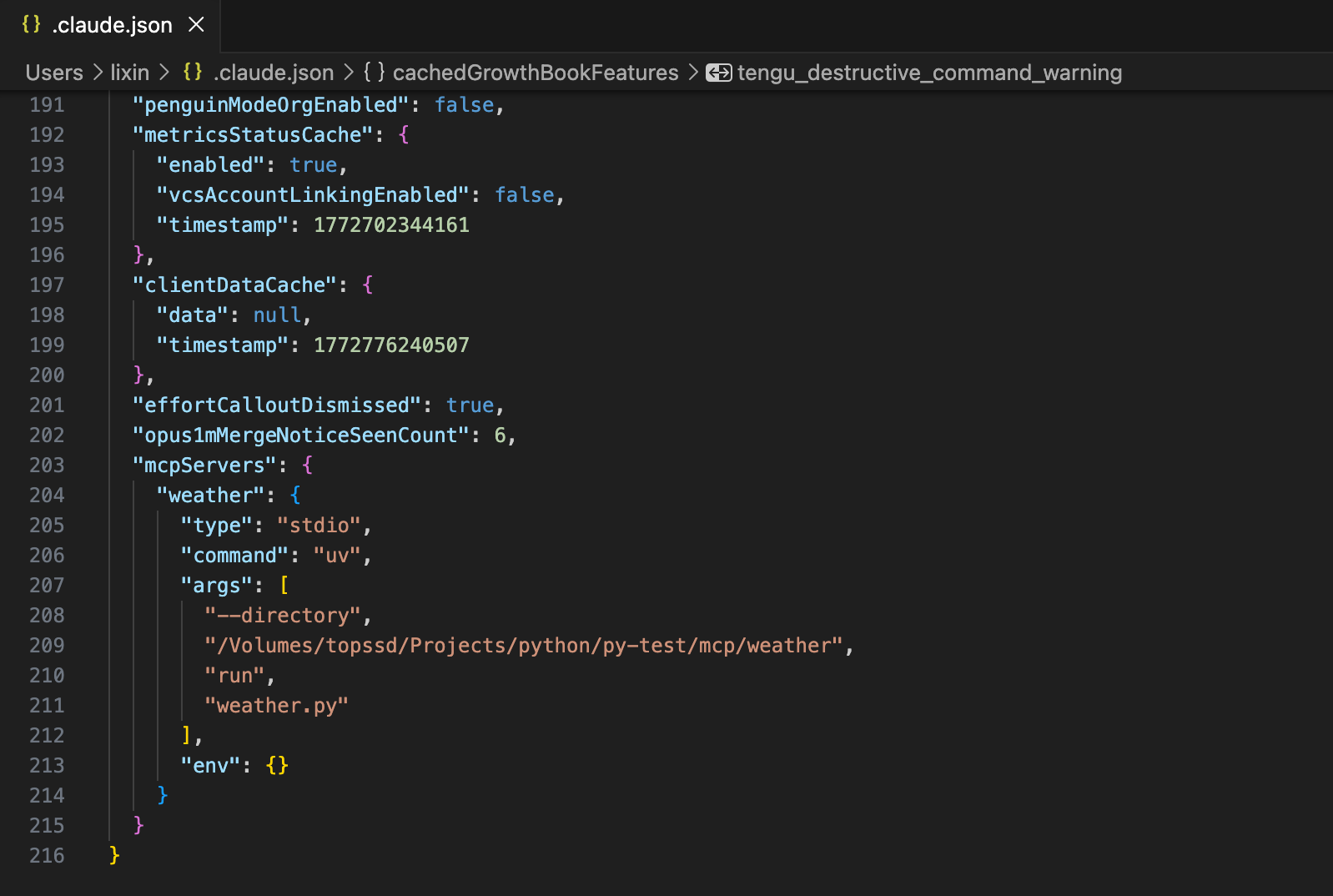
Testing with Commands
- What’s the weather in Sacramento?
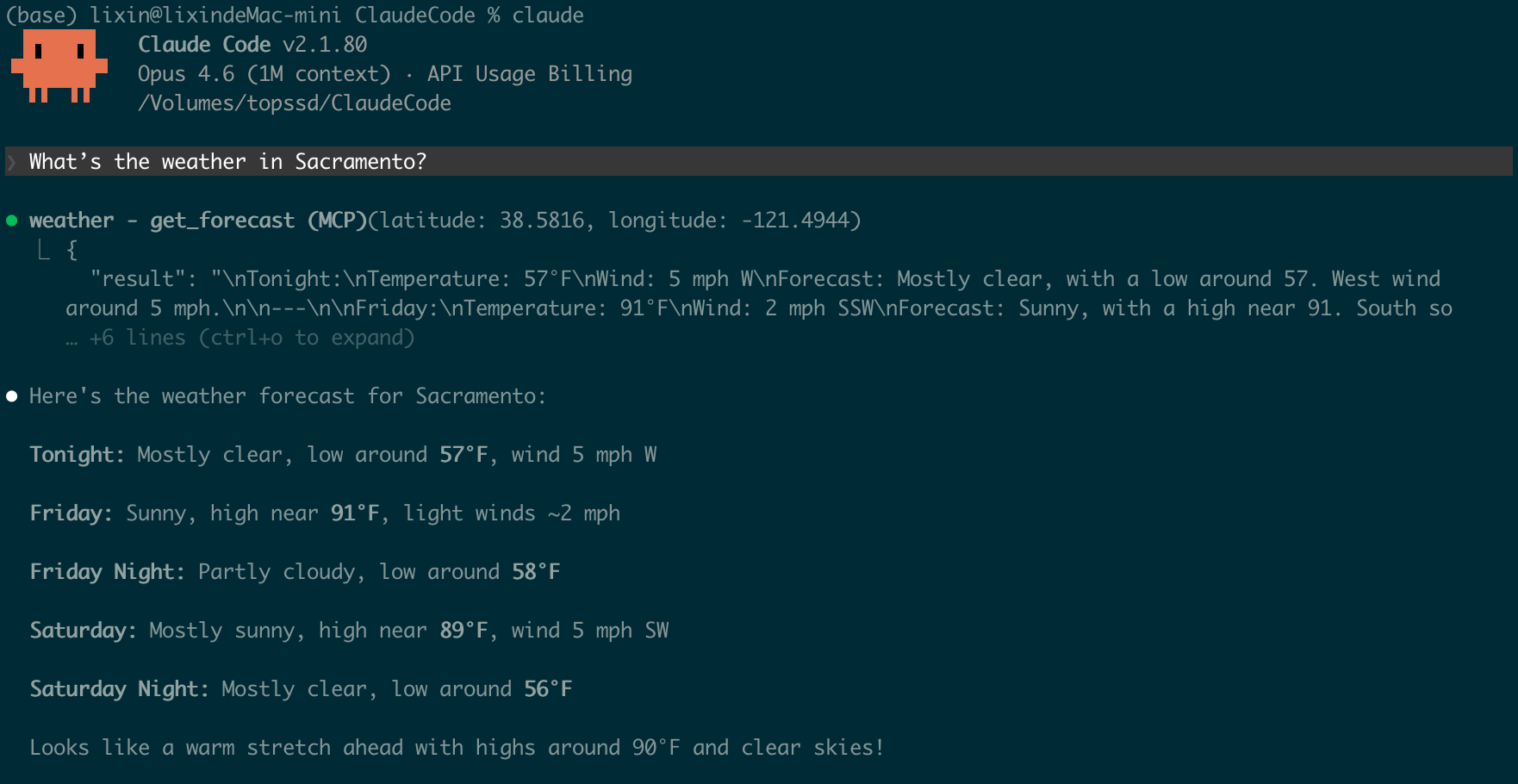
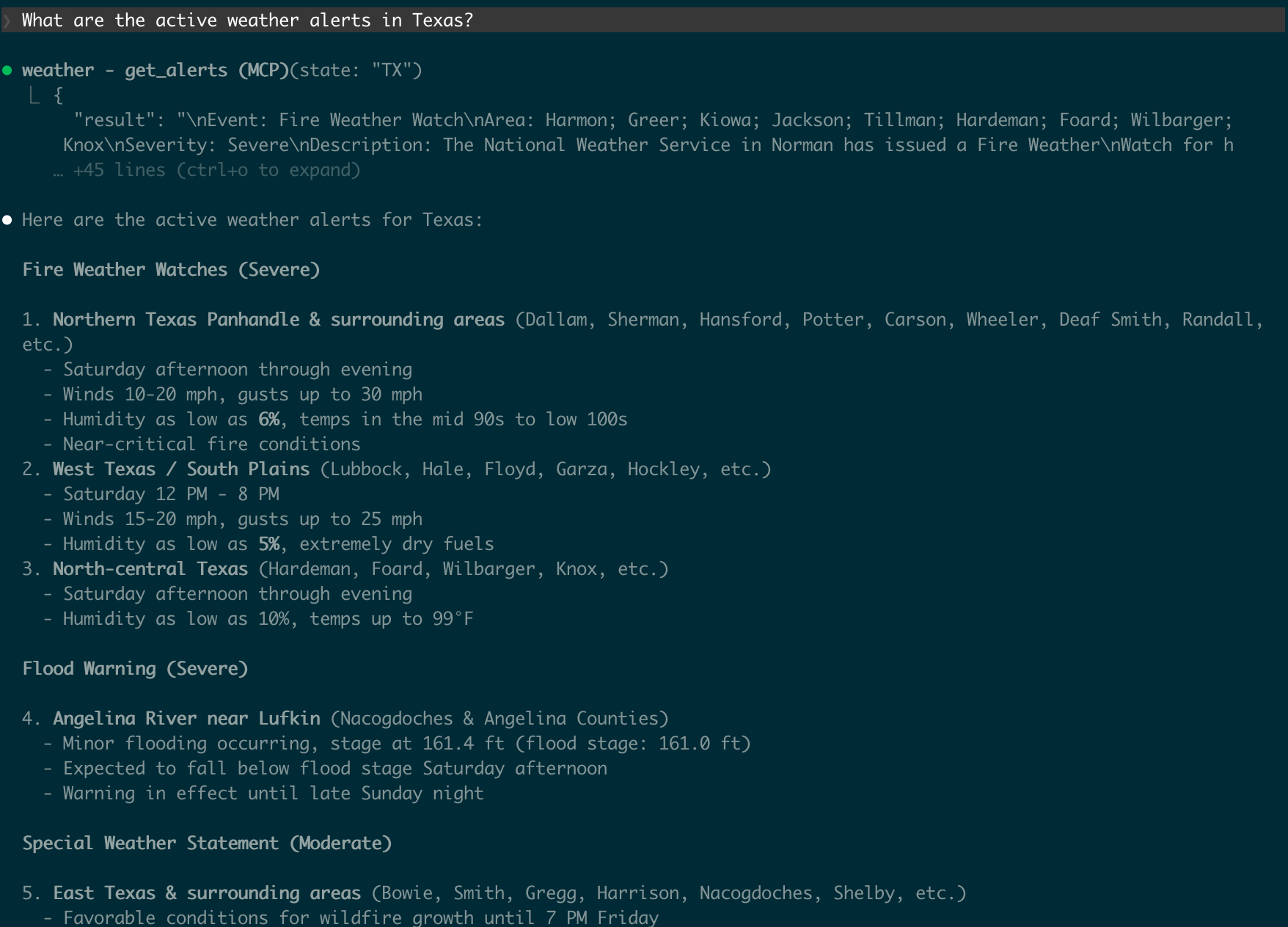
- What are the active weather alerts in Texas?
Testing the MCP Server with Kilo Code
Configure the MCP Server
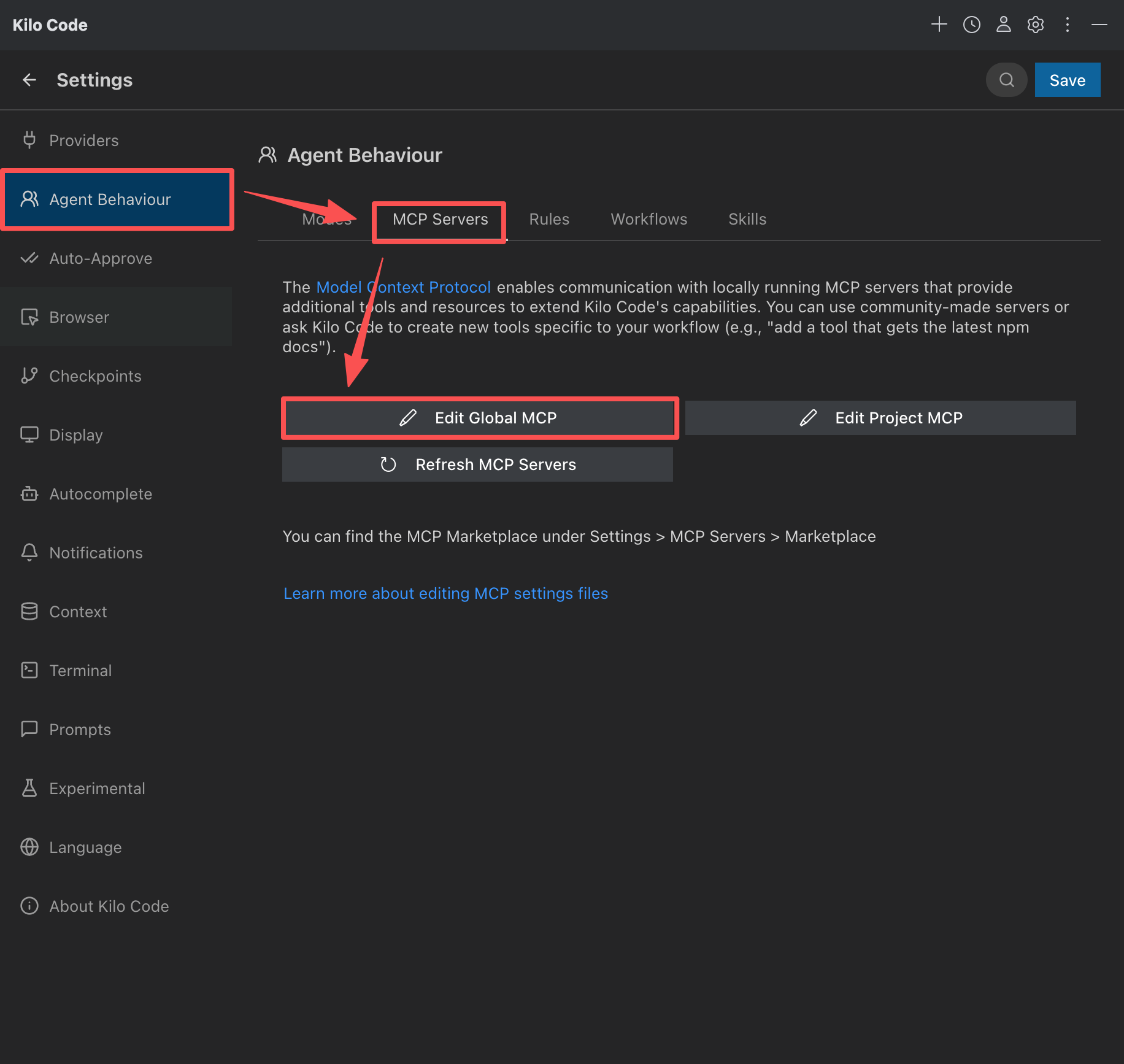
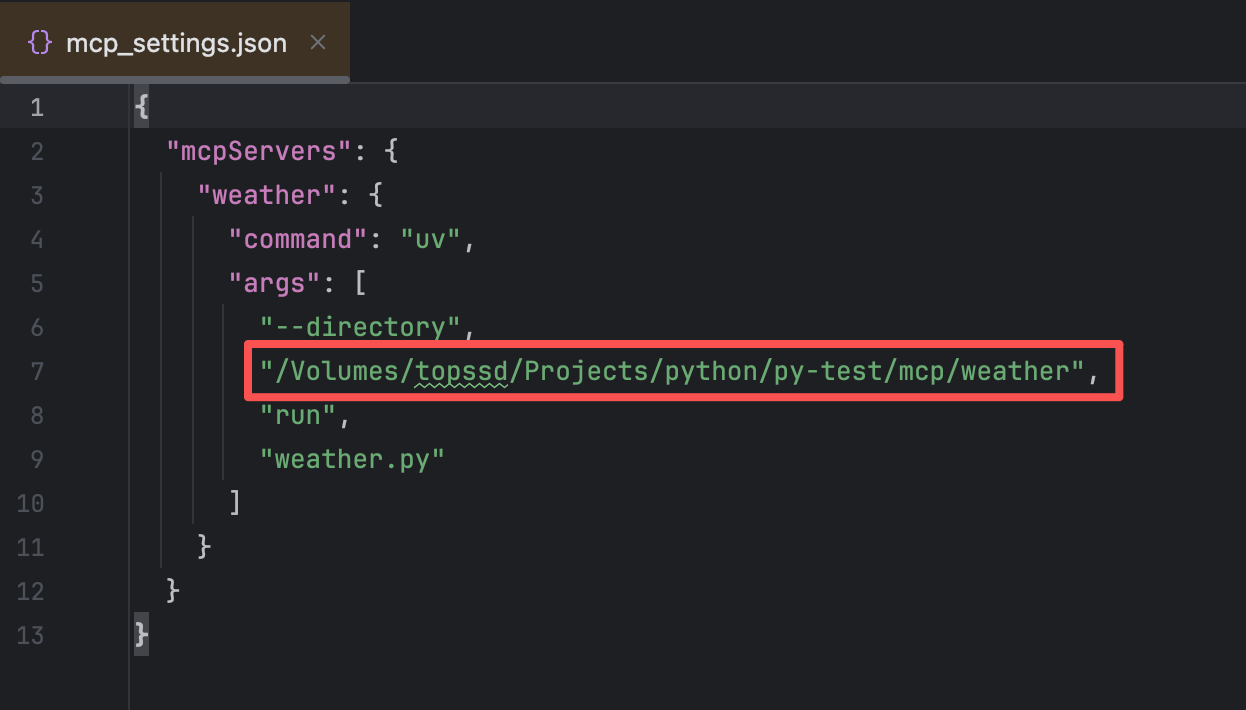
The configuration files for different tools vary. Please modify them according to your actual usage. The following is the configuration file
mcp_settings.jsonforKilo Code.
提示
The path /Volumes/topssd/Projects/python/py-test/mcp/weather in the red box needs to be changed to your project path.
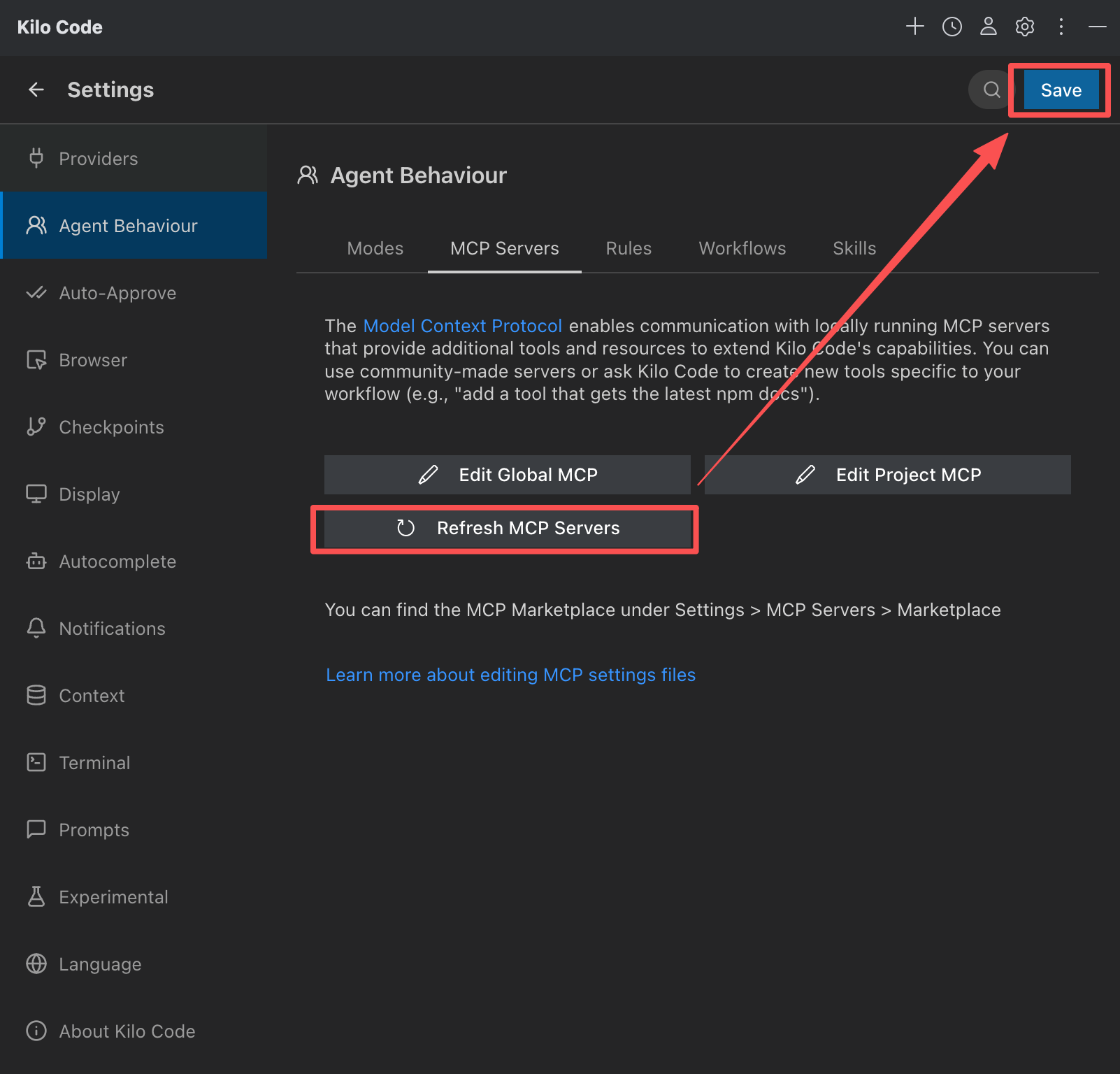
Refresh MCP Servers and save:
This tells the tool:
- There is an MCP server named
weather - To run it to start it
uv --directory /Volumes/topssd/Projects/python/py-test/mcp/weather run weather.py
Testing with Commands
- What’s the weather in Sacramento?
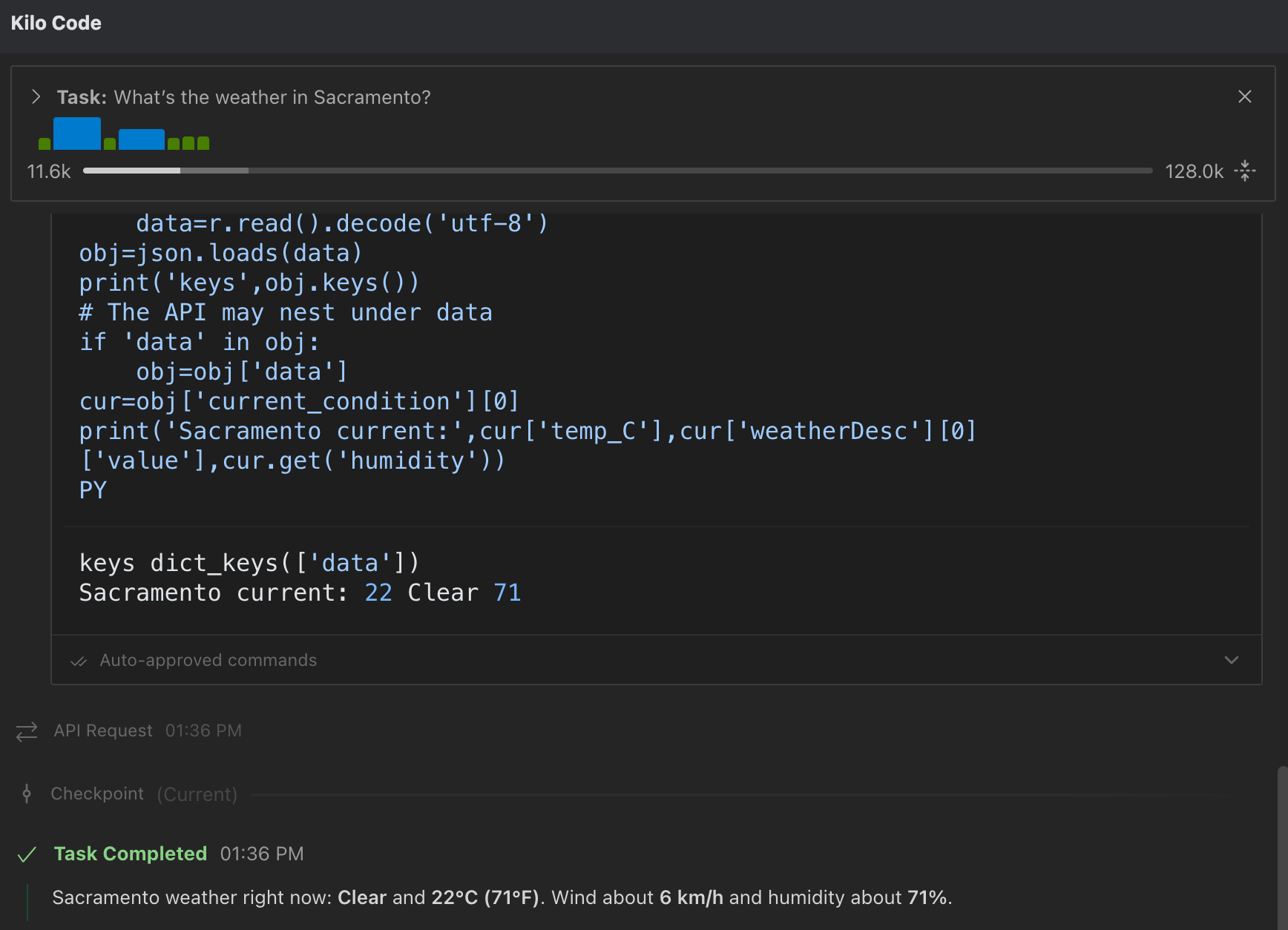
- What are the active weather alerts in Texas?