Kilo Code Setup Guide
Install and configure the Kilo Code plugin to connect to the Coding Flow platform.
Kilo Code can be used in VS Code, VS Code-based IDEs (such as Cursor and Trae), and JetBrains IDEs (such as IntelliJ IDEA and PyCharm).
For more details, see the official Kilo Code documentation.
Prerequisites
- A valid API Key (e.g.
sk-******) - An accessible service address (Base URL) (usually provided by your deployment/gateway)
Common service Endpoint for This Site
Install the Kilo Code Plugin
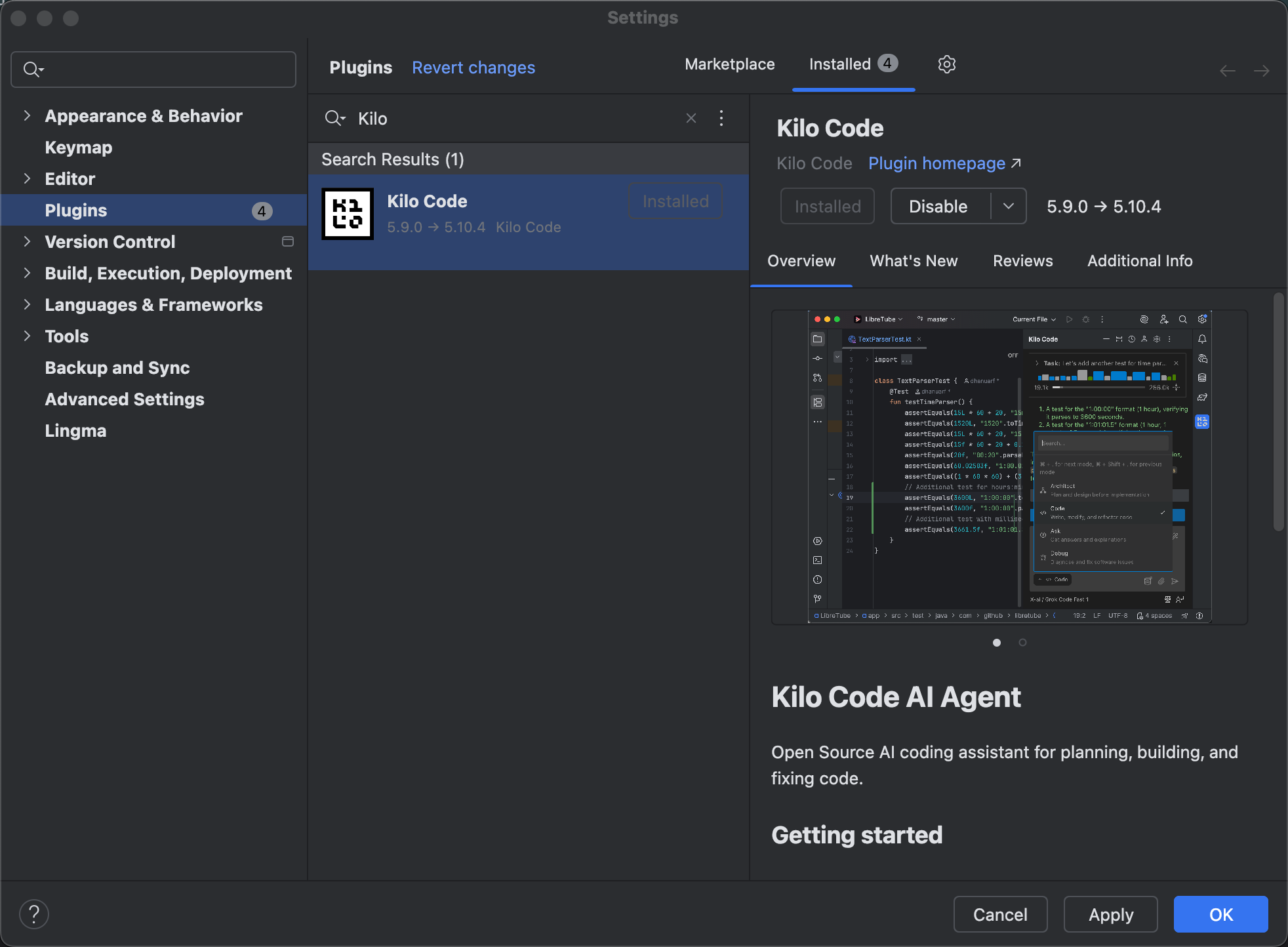
Using JetBrains as an example, search for the Kilo Code plugin in the plugin marketplace and install it.
Configure the Kilo Code Plugin
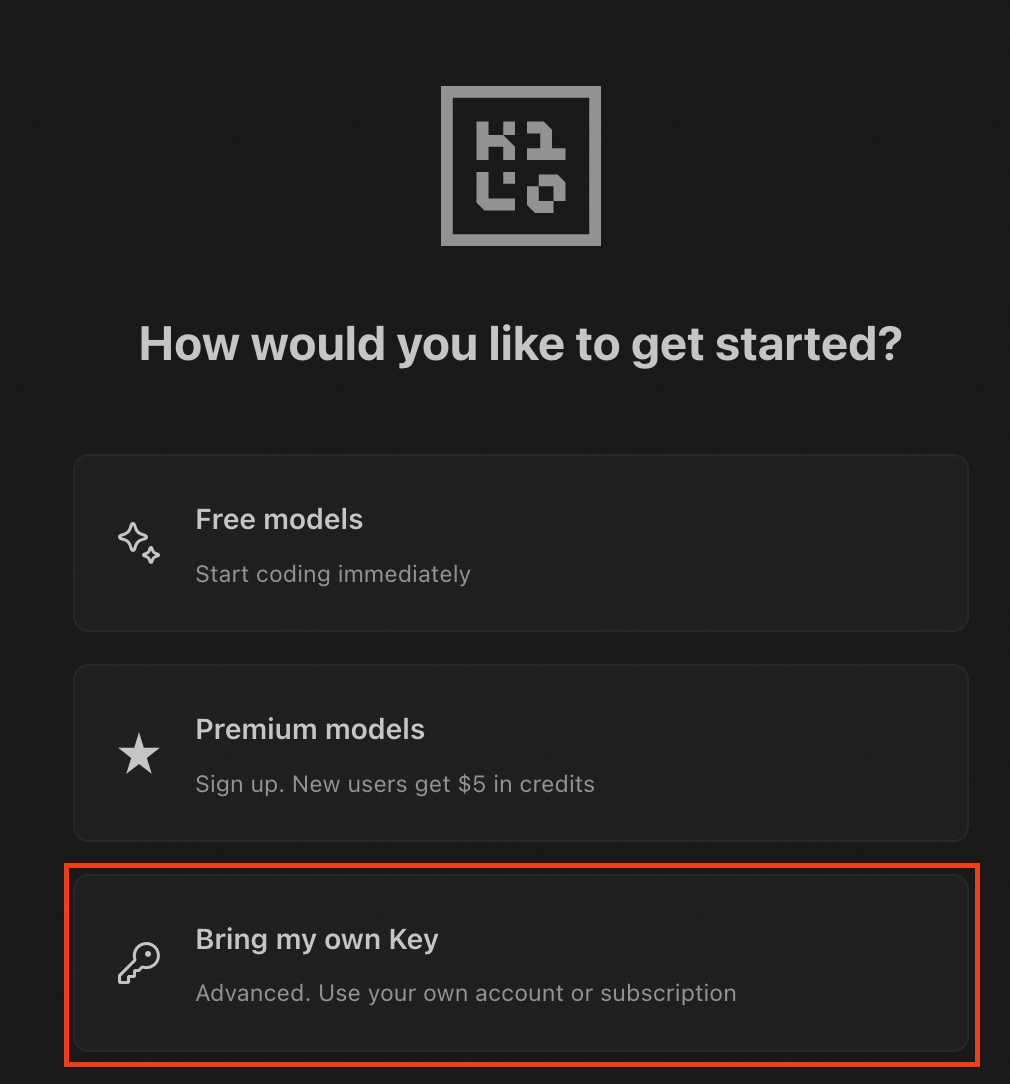
Select Bring my own Key.
Fill in the relevant information according to the following configuration:
- API Provider: OpenAI Compatible
- Base URL: https://api.codingflow.ai/v1
- API Key: Your
Coding FlowAPI key, in the formatsk-xxxxx. - Model: Enter a model supported in the
Coding Flowdocumentation, then click Use custom.
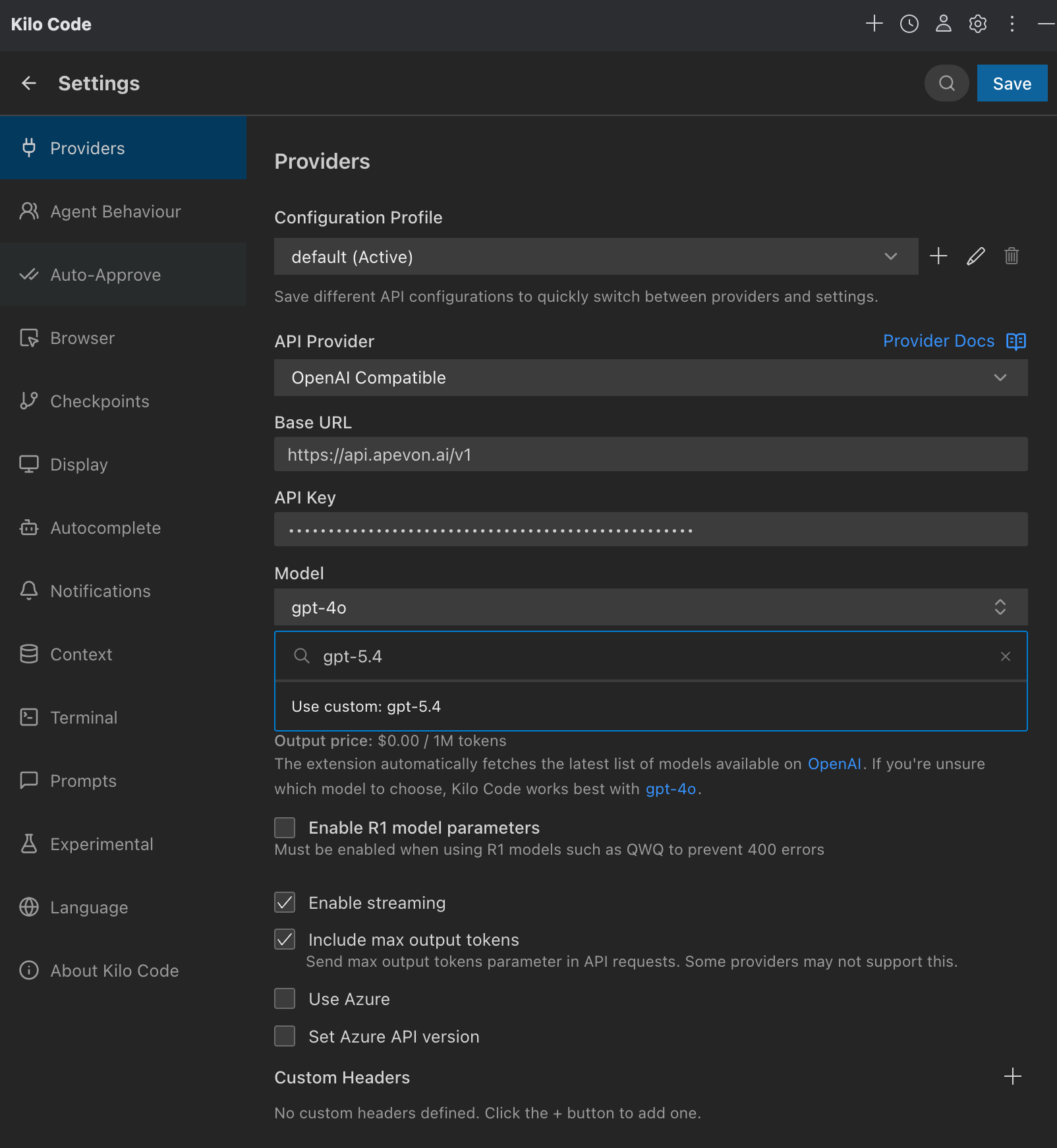
After the configuration is complete, click Save in the upper-right corner.
Get Started